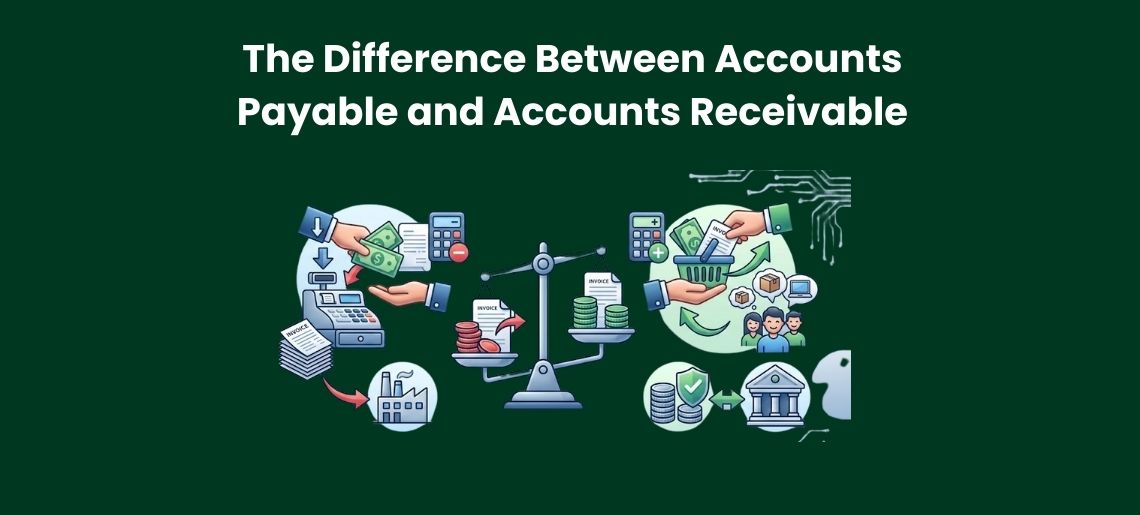

The Difference Between Accounts Payable and Accounts Receivable

If you run a small business, you have probably heard these two terms a lot. Accounts payable. Accounts receivable. They sound similar. But they mean very different things. Mixing them up can cause real problems. You might think you have more money than you actually do. Or you might miss a payment deadline and damage a supplier relationship you have spent years building. Neither of those things is good for business.

So it is worth taking a few minutes to understand both of these properly. Once you do, managing your finances becomes a lot clearer and a lot less stressful. This guide explains what each term means, how they work in real life, and why keeping track of both is so important for your business.

What Is Accounts Payable?

Accounts payable is money your business owes to others.When you buy something on credit, you do not always pay for it right away. Maybe you order stock from a supplier and they give you 30 days to pay. That amount sits in your accounts payable until you clear it. Think of it like a bill you have received but have not paid yet.Accounts payable sits on the liability side of your balance sheet. That means it is a debt your business is carrying. Until you pay it off, it reduces your net worth on paper.

Common examples of accounts payable:

Type Example
Supplier invoices Stock or raw materials ordered on credit
Rent Office, warehouse, or retail space
Utilities Electricity, internet, phone bills
Contractor fees Freelancers or tradespeople you have hired
Software subscriptions Tools billed monthly or annually

The goal with accounts payable is to know exactly what you owe and to pay it on time. Paying late can lead to penalty fees. It can also damage your relationship with suppliers, which is hard to rebuild once trust is lost. On the flip side, paying too early without good reason can hurt your cash position unnecessarily. Good accounts payable management finds the right balance.

What Is Accounts Receivable?

Accounts receivable is money owed to your business. When you sell a product or service and the customer does not pay straight away, that amount becomes accounts receivable. You have done the work. You have sent the invoice. Now you are waiting for the payment to come in. Think of it as money you are expecting to receive. Accounts receivable sits on the asset side of your balance sheet. It has value because someone legally owes it to you. But until that money actually lands in your bank account, you cannot spend it. It is not real cash yet.

Common examples of accounts receivable:

Type Example
Client invoices Work completed but not yet paid for
Credit sales Goods sold to a customer on a payment plan
Retainers Ongoing service fees not yet collected
Subscription fees Monthly charges still outstanding
Project or event work Delivered service, invoice awaiting payment

The goal with accounts receivable is to collect what you are owed, and to do it as quickly as possible. The longer an invoice stays unpaid, the harder it usually becomes to recover the money. Some unpaid invoices eventually become bad debts, which cost you time, money, and sometimes even legal fees.

Key Differences at a Glance

Here is a simple side-by-side comparison to make the distinction easy to remember.

Aspect Bookkeeping Accounting
Focus Recording transactions Analysing and interpreting data
Purpose Accuracy, organisation Strategy, growth, forecasting
Compliance BAS, GST, STP Reporting, tax compliance, regulatory submissions
Tools Xero, MYOB, QuickBooks Reports, dashboards, forecasting tools
Outcome Organised books Strategic insights for better decisions

A quick way to remember it: payable = pay out, receivable = receive in.

Both exist in your business at the same time. While you are waiting on a client to pay you, you are also paying your own invoices. That is completely normal. The key is managing both sides well so neither one gets away from you.

Why Cash Flow Connects the Two

Cash flow is the movement of money in and out of your business. Accounts payable and receivable are both directly tied to it, and the connection between them matters more than most people realise.

Here is the problem many small businesses run into. You might have a healthy amount of accounts receivable on paper. Clients owe you money. But if they have not paid yet, you do not have the cash in hand. And your accounts payable might be due this week. That gap between what you are owed and when you actually receive it can create serious financial pressure. This is one of the most common reasons small businesses struggle, even profitable ones. They are not losing money. They just cannot access it fast enough to cover their obligations.

How each side affects your cash flow:

Situation Impact on Cash Flow
Clients pay invoices quickly Positive, more cash available
Clients pay invoices late Negative, cash is tied up
You pay suppliers on time Neutral, trust is maintained
You pay suppliers early without reason Negative, cash leaves too soon
You miss a payable deadline Negative, penalties apply
You delay chasing overdue receivables Negative, debt ages and gets harder to collect

The sweet spot is when money comes in regularly and goes out in a predictable, manageable way. Getting the timing right between the two is one of the most valuable things you can do for the financial health of your business.

How Accounts Payable Works in Practice

Say you run a small cafe. You order coffee beans from a supplier. They deliver the beans and send you an invoice for $800, due in 30 days. At this point, you have $800 sitting in your accounts payable. You record it as a liability. When you pay the invoice before the due date, you remove it from accounts payable and your bank balance decreases by $800. Clean and simple. But imagine you have 10 different suppliers. Each one sends invoices at different times, with different due dates and different amounts. Keeping track of all of that manually gets messy fast. One missed invoice and you are dealing with a late fee or an awkward phone call.

Good habits for managing accounts payable:

  • Record every invoice as soon as you receive it
  • Set reminders for due dates so nothing slips through
  • Review your payables list regularly to know what is coming up
  • Negotiate longer payment terms with suppliers where possible
  • Do not pay early unless there is a discount that genuinely makes it worthwhile
  • Always check invoices for errors before making a payment

Building these habits into your routine keeps your payables under control and your supplier relationships in good shape.

How Accounts Receivable Works in Practice

Back to that cafe. Now imagine you do catering for a local office. You deliver the food and send an invoice for $1,200, due in 14 days. You now have $1,200 in accounts receivable. You record it as an asset. When the client pays, the money moves into your bank account and the invoice comes off your receivables list. Again, with one client this is straightforward. But with multiple clients on different payment schedules, and some of them paying late, things get complicated quickly. Chasing invoices takes time and energy that most business owners would rather spend elsewhere.

Good habits for managing accounts receivable:

  • Send invoices straight away after completing work or delivering goods
  • Set clear payment terms upfront so clients know exactly when payment is due
  • Follow up on overdue invoices quickly and professionally
  • Consider offering small early payment discounts to encourage faster payments
  • Use accounting software to track invoice status automatically
  • Keep records of all communication with clients about outstanding payments

The faster you get money in the door, the less pressure you feel on the payables side.

Common Mistakes Business Owners Make

Both sides of this are easy to get wrong, especially when you are busy running everything else in the business.

Mistake Which Side Why It Matters
Forgetting to record an invoice Payable You miss the due date and face penalties
Paying the wrong amount Payable Creates reconciliation headaches
Not checking invoices for errors Payable You overpay without realising it
Delaying sending invoices Receivable Clients take even longer to pay
Not following up on late payments Receivable Debt gets older and harder to recover
Unclear payment terms on invoices Receivable Clients have no real deadline to meet
Offering credit without checking history Receivable Risk of non-payment increases significantly

These mistakes can quietly drain your cash flow over time. They are often hard to trace back to the source until the damage is already done. Staying on top of both sides consistently is the best way to avoid them.

The Role of Bookkeeping and Professional Support

Both accounts payable and accounts receivable are central to how your business runs day to day. Managing them well requires consistent, accurate bookkeeping. Without that foundation, it is very easy for things to fall through the cracks.

A good bookkeeper or accountant will make sure your payables are recorded correctly and cleared on time. They will also help you track your receivables, follow up on overdue invoices, and make sure your records are clean and accurate all year round. For many small business owners, this is one of the first tasks worth handing over to a professional. It saves time, reduces the risk of costly errors, and gives you a much clearer picture of where your business actually stands financially.

Cloud-based accounting tools like Xero or MYOB can also make both sides much easier to manage. They let you see what you owe and what you are owed in real time, send automatic payment reminders, and keep everything in one place. Even if you do use software, having a professional review your books regularly is still a smart move.

Two Sides of the Same Coin

Accounts payable and accounts receivable are two of the most basic parts of running a business. But getting both right makes a real difference. You know what is going out, you know what is coming in, and you can make decisions with confidence instead of guessing. The businesses that stay financially healthy are usually the ones that take both sides seriously and stay on top of them consistently.

If you ever feel like the bookkeeping side of things is getting away from you, the team at Elite Plus Accounting is always happy to help. Sometimes a little support goes a long way.

Frequently Asked Questions

How long should you wait before chasing a late invoice?

Most businesses follow up as soon as the invoice is one day past the due date. A polite reminder email is a good first step. If it stays unpaid for 7 to 14 days, a more direct follow-up is appropriate. Do not wait weeks to act.

Yes, almost every business carries both at once. You might owe money to suppliers while also waiting on payments from clients. Both sit on your books simultaneously and need to be managed together.

You do not technically need it, but it makes things significantly easier. Tools like Xero, MYOB, or QuickBooks automate invoice tracking, send payment reminders, and give you a live view of your financial position.

Money paid through accounts payable may be deductible as a business expense. The rules around timing and eligibility can be complex, so it is best to work with a qualified accountant to make sure everything is handled correctly.

Send invoices promptly, set clear payment terms, follow up quickly when payments are late, and consider using direct debit or automated payment options. The sooner you act on an overdue invoice, the better your chances of collecting in full.

Payday Super 2026: Melbourne Payroll Guide for Employers

Australia’s superannuation system is going through one of its biggest changes in decades. From 1 July 2026, employers across the country will be required to pay Superannuation Guarantee contributions every payday, not quarterly as they do now. This reform, known as Payday Super, will change how payroll, cash flow, and compliance are managed at every level of a business.For employers, payroll managers, bookkeepers, and HR professionals in Melbourne, understanding what is changing and what needs to be done is critical.

This guide explains what Payday Super is, why it is being introduced, and what Melbourne employers need to do to get ready before 1 July 2026.

Key Changes at a Glance

Before getting into the details, here is a quick summary of what is changing and what is staying the same.

What is changing:

Super is no longer paid quarterly. From 1 July 2026, super must be paid on every single payday. If a business pays staff weekly, super goes out weekly. If the pay cycle is fortnightly, super goes out fortnightly. The payment must reach the employee’s super fund within a few days of each pay run.

What is staying the same:

The super guarantee rate continues to apply. Employers must still contribute the correct percentage of an employee’s ordinary time earnings. The eligibility rules for who receives super also remain largely the same.

What this means for employers:

Super payments will need to be managed much more frequently. Payroll software, cash flow planning, and record keeping all need to be ready for this shift. The good news is that with the right preparation, it is very manageable.

What Is Payday Super?

Right now, employers in Australia pay super once every three months. This is called quarterly super contributions. Most businesses have been doing this for years. But from 1 July 2026, that changes. Under the new Payday Super rules, employers will need to pay super at the same time as wages. So every time payroll is processed, super must go with it.

The Australian Government announced this change to help workers build their retirement savings faster. When super is paid more often, it earns more interest over time. For workers, this adds up to thousands of extra dollars by the time they retire. For employers, it means a big shift in how payroll works.

Why Is This Change Happening?

The government has two main reasons for introducing Payday Super.

  1. It protects workers. Under the old quarterly system, some employers fell behind on super payments. Some even failed to pay super at all. This left workers short changed. Payday Super reduces that risk because super is tied directly to each pay run.
  2. It helps retirement savings grow. Super paid more often means more time in the fund. More time in the fund means more investment growth. The government estimates workers could be tens of thousands of dollars better off over their working life.

For Melbourne employers, understanding this change early is key. The earlier a business prepares, the smoother the transition will be.

Key Dates Employers Need to Know

Here are the important dates to keep in mind. 1 July 2026 is the start date. From this day, all employers must pay super on payday. This applies to every business in Australia, including all Melbourne employers.

Businesses should start preparing well before this date. Most payroll experts recommend getting ready at least six months in advance. For those who have not started thinking about it yet, now is a good time to begin.

How Does Payday Super Work in Practice?

Here is a simple breakdown of how Payday Super works under the new system:

  • Super Follows Every Pay Run: Super contributions must be sent to the employee’s fund every time payroll is processed, not at the end of the quarter.
  • Tight Timeframe for Receipt: The super must be received by the employee’s super fund within a few days of each pay run.
  • Rules Still Being Finalised: The ATO is still finalising some of the exact processing rules, but the timeframe is expected to be very tight.
  • The Quarterly Buffer Is Gone: Under the old system, employers had up to 28 days after the end of each quarter to pay. That buffer is gone under Payday Super.
  • Pay Cycle Sets the Super Cycle: If a business pays staff weekly, super goes out weekly. If the pay cycle is fortnightly, super goes out fortnightly. The pay cycle sets the super cycle.

What This Means for Melbourne Employers

For Melbourne business owners, here is what this change means day to day.

  • Cash flow planning becomes more important: Super funds must be available every payday, not just four times a year. This means business cash flow needs to be tighter and better managed.
  • Payroll software needs to be updated: Most modern payroll systems will be updated to handle Payday Super automatically. But employers need to check that their software is compliant before 1 July 2026.
  • Manual payroll processes will not work well: Businesses still doing payroll by hand or using spreadsheets should consider upgrading. Payday Super will be very difficult to manage without the right software.
  • Super fund relationships matter: Employers need to know which funds their employees use and be able to send payments to those funds quickly and easily. If a clearing house is used, it should be checked to confirm it can handle more frequent payments.

Steps to Get Payroll Ready

Here is a simple action plan for Melbourne employers.

Step 1: Review the current payroll setup.

Employers should look at how payroll is currently processed and how super is paid. Is it done in house? Is an accountant or bookkeeper involved? Is payroll software being used? Understanding the current situation is the first step.

Step 2: Check payroll software.

Employers should talk to their payroll software provider and ask if the system will be updated for Payday Super. Most of the major systems like Xero, MYOB, and QuickBooks will be updated. But it is always better to confirm directly.

Step 3: Review cash flow.

Employers should work out how much super is currently paid each quarter. Dividing that by the number of pay runs gives a rough figure of how much extra cash will be needed each payday. Businesses need to make sure they can handle that.

Step 4: Update employee super fund details.

Every employee’s super fund details should be checked and updated. This includes the fund name, the USI (Unique Superannuation Identifier), and the member number. Outdated or incorrect details will cause payment delays.

Step 5: Talk to an accountant.

Working with an accountant or bookkeeper means letting them know about the upcoming change. They can help plan for it and make sure systems are set up correctly. At Elite Plus Accounting, the team helps Melbourne businesses get their payroll ready for big changes like this one.

Step 6: Train the payroll team.

If someone else handles payroll, they need to know about the change. Giving them time to learn the new process before it goes live will make the transition much smoother.

Penalties for Non-Compliance

Here is what employers need to know about the consequences of missing super payments under the new system:

  • Increased ATO Monitoring: The ATO will be keeping a close eye on super payments because super is now tied to every single pay run.
  • Easier to Detect Late Payments: Late or missing payments will be much easier for the ATO to spot compared to the old quarterly system.
  • Superannuation Guarantee Charge Applies: Under the Superannuation Guarantee Charge rules, employers who miss super payments face a charge that includes the unpaid super, interest, and an administration fee.
  • No Business Deduction Allowed: These charges cannot be claimed as a business deduction, making them even more costly to the bottom line.
  • Near Real Time Visibility: Under Payday Super, the ATO will have better visibility of payment timing in near real time. There is very little room to fall behind without being noticed.
  • The Bottom Line: Super must be paid on time, every payday, from 1 July 2026 onwards.

Melbourne Employers: Stay Ahead of Payday Super

Payday Super is one of the most significant changes to hit Australian payroll in decades. From 1 July 2026, every business in Melbourne will need to pay super on payday, every single time wages go out. The quarterly system that most employers have relied on for years will no longer be compliant. Businesses that start preparing now, by reviewing their payroll setup, updating software, and planning cash flow, will be in a much stronger position when the deadline arrives.

The change does not have to be overwhelming. With the right systems and the right support in place, Payday Super is very manageable. The key is to act early rather than scramble at the last minute. For Melbourne employers who want to get their payroll ready and stay on the right side of compliance, the team at Elite Plus Accounting is here to help. Reach out today for a conversation about how the business can be prepared well ahead of 1 July 2026.

Frequently Asked Questions

What is the superannuation law in 2026?

From 1 July 2026, employers must pay superannuation on every payday instead of quarterly. This change, known as Payday Super, legally links super payments to each payroll run.

Super must be paid every payday, quarterly payments will no longer be allowed, and compliance monitoring will become near real-time. The reform changes payment timing, not contribution rates.

No. From 1 July 2026, quarterly super payments will be non-compliant. All employers must move to payday-based super payments.

Employers must still pay super on time using the default fund in their payroll system or workplace agreement. Missing fund details do not allow payment delays.

No. The law applies to all employers from 1 July 2026 with no delayed start for small businesses. Support will come through guidance, payroll software updates, and professional services, not extended deadlines.

Easy Bookkeeping Tips for Retail Store Owners

A retail store has a very dynamic environment, and running it can be exciting and rewarding. However, it also comes with many responsibilities such as helping customers, restocking shelves, managing staff, and handling the store’s finances. Understanding where money comes from and where it goes is essential for the success and stability of any retail business.Many retail store owners find bookkeeping confusing and difficult, especially if they have no background in finance. Numbers, records, and systems can feel overwhelming, and this often leads to stress and uncertainty about the store’s financial position.

This guide breaks down simple steps that anyone can learn to manage a store’s finances with confidence. It helps retail owners plan better, avoid mistakes, stay organised, and grow their business with clarity and confidence. No financial knowledge is required to understand this guide,  only a willingness to learn and improve how store finances are managed.

Why Bookkeeping Is Important for Retail Stores

Bookkeeping helps retail store owners understand how the store is performing day by day. It shows how much money is being earned, how much is being spent, and where it is being spent.Without proper bookkeeping, it becomes easy to lose control of the store’s finances. A store may have high foot traffic every day, but there can still be confusion about whether the business is growing or struggling financially due to the absence of clear financial records.

Good bookkeeping helps retail owners to:

  • Understand if the store is making money
  • Track daily sales clearly
  • Control spending
  • Manage stock properly
  • Pay staff correctly and on time
  • Make better business decisions
  • Plan for growth and expansion

Bookkeeping provides control and clarity over the store’s finances, allowing store owners to focus on customers, business development, and confident growth instead of confusion and financial uncertainty.

Practical Bookkeeping Tips for Retail Businesses

Running a retail store does not require a complex financial system or expertise in finance. It only requires basic knowledge, the right habits, and simple processes to operate efficiently. Below are easy, practical bookkeeping tips designed specifically for retail store owners. These tips are simple to follow, easy to maintain, and designed to make managing store finances stress-free and manageable.

1. Separate Personal and Business Money

One of the most important first steps in bookkeeping is keeping personal money and business money separate. Many small business owners mix the two without realising how confusing it can become later. When everything is mixed together, it becomes very difficult to understand how the store is actually performing. It becomes unclear what money belongs to the business and what belongs to the owner personally.

What to do:

  • Open a bank account just for the store
  • Use it only for store income and expenses
  • Avoid using store money for personal spending

This simple step creates clarity and makes all other bookkeeping tasks much easier.

2. Keep Track of Every Sale and Purchase

Every sale made and every item purchased matters. Even small amounts add up over time. When records are not kept, control over finances is lost. Keeping records helps store owners understand how much money is coming in and how much is going out.

Simple ways to track:

  • Write daily sales in a notebook or system
  • Save all receipts
  • Record all purchases, even small ones
  • Update records regularly

When everything is written down, it becomes easy to see where the money is going.

Daily Bookkeeping Checklist

Task What It Means Done Daily
Record sales Write down total sales for the day
Save receipts Keep all purchase receipts
Track expenses Note anything spent during the day
Update cash balance Check cash in register
Check POS records Match POS with actual sales

3. Know the Store’s Stock

Stock is the heart of any retail store. Without knowing what is available, what sells, and what does not sell, money can be lost without realising it. Good stock tracking helps prevent running out of popular items and avoids overbuying products that do not sell.

Easy stock control steps:

  • Keep a simple product list
  • Update it when stock comes in or goes out
  • Do regular physical stock checks

This helps store owners make smarter buying decisions and reduce waste.

4. Simplify Staff Costs with Payroll and Rostering Automation

Managing staff manually can be stressful and confusing. Mistakes in wages, hours, or schedules can create problems for both store owners and employees.Using payroll and rostering systems makes staff management easier. Automation removes manual calculations and reduces the risk of errors.

How automation helps:

  • Automatically calculates staff hours and wages
  • Tracks shifts and schedules
  • Reduces mistakes
  • Saves time
  • Keeps staff payments organised

This creates a smoother and more reliable system for managing staff costs.

5. Reconcile Records Regularly

This simply means checking that store records match what is actually happening in the bank account. Without regular checks, small mistakes can grow into big problems over time.

How to do it simply:

  • Compare records with bank statements
  • Check weekly or monthly
  • Fix mistakes quickly

This keeps financial records accurate and reliable.

6. Use Simple Tools

It is not necessary to have complex systems for good bookkeeping. Simple, easy to understand tools work as well when used correctly and consistently. 

Helpful tools:

  • Notebook
  • Spreadsheet
  • Basic bookkeeping software
  • POS systems

The best tool is always the one that is used regularly and correctly.

7. Stay Consistent

Bookkeeping only works when it is done regularly. Waiting too long between updates makes it harder and more stressful.

Easy routine:

  • Daily: record sales
  • Weekly: update expenses
  • Monthly: review performance

Consistency creates control and confidence.

8. Plan for Busy and Slow Periods

Retail businesses naturally go through busy seasons and slow periods. Planning helps prevent stress and financial pressure.

Planning helps to:

  • Prepare stock levels
  • Manage staff schedules
  • Control spending
  • Avoid shortages and waste

Good planning keeps the business stable throughout the year.

9. Monitor Key Numbers

Complex reports are not necessary. Simple numbers are enough to understand store performance.

Important things to watch:

  • Best-selling products
  • Slow-moving items
  • Profit on products
  • Daily and monthly sales

These numbers help guide better business decisions.

10. Use Technology to Save Time

Use of technology reduces workload on the owners and human errors. It allows systems to work together automatically and efficiently. 

Technology benefits:

  • Saves time
  • Reduces errors
  • Improves accuracy
  • Creates clear reports
  • Simplifies tracking

This allows store owners to focus more on customers and business growth.

11. Don’t Be Afraid to Ask for Help

Store owners managing everything alone can feel very overwhelmed. They shouldn’t be afraid to ask for help. Professional bookkeepers can help make a significant difference in management of the store’s finances.

Professionals can help to:

  • Set up systems
  • Organise records
  • Improve efficiency
  • Save time
  • Reduce stress

Getting help is a smart business decision, not a weakness.

Building a Strong Retail Business Through Simple Bookkeeping

Good bookkeeping is the foundation of a strong and successful retail store. It provides clarity, confidence, and control over business operations. When records are organised and systems are simple, better decisions are made, and stress is reduced. Running a successful retail store does not require financial expertise. With simple systems, consistency, and the right support, bookkeeping becomes easy to manage and maintain. Step by step, these habits help build a stronger, more stable, and more successful retail business.

For retail store owners who want guidance in setting up simple systems or improving how their finances are managed, professional support can make the process easier and more effective. The right advice and structure can help create long-term stability and confidence, allowing business owners to focus on growth, customers, and the future of their store.

Frequently Asked Questions

Can retail owners manage bookkeeping without financial knowledge?

Yes. Retail owners can manage bookkeeping without financial knowledge by using simple systems, basic tools, and consistent routines. With easy processes in place, bookkeeping becomes manageable for anyone.

Automation helps retail businesses by reducing manual work, saving time, and preventing mistakes. It simplifies tasks such as recording sales, managing staff schedules, and tracking payments, making daily operations easier and more organised.

Record reconciliation means checking that bookkeeping records match what is actually happening in the bank account. It helps ensure that all money coming in and going out is recorded correctly.

When bookkeeping is ignored, retail owners lose control of their finances. This can lead to confusion, poor decisions, wasted money, business stress, and long-term financial instability.

Professional support is not always necessary, but it can be very helpful. Support from professionals can improve accuracy, save time, reduce stress, and help create better systems for managing store finances.

Why Every Small Business Needs a Bank Reconciliation Statement

Accurate bank reconciliation is a key practice for all small businesses. However, it is one of the most overlooked practices. When reconciliation is neglected errors can go unnoticed, financial discrepancies can grow and businesses can lose clarity about their true financial position. Although bank reconciliation may seem tedious or time-consuming, it plays a far more important role than many business owners realise.

Regular bank reconciliation helps businesses identify mistakes, reduce financial risk, detect irregular activity, and maintain healthy cash flow. For business owners who are new to this process or find it difficult to manage, professional accounting and bookkeeping services can provide valuable support in maintaining accurate and reliable financial records.

In this blog, we will explore what bank reconciliation is, why it matters, and how it supports stronger financial management and business stability.

What Is Bank Reconciliation?

A ledger is a document tracking all the money going in and out of a business while a bank statement is a document where all the money that has been deposited or withdrawn from a bank is recorded. Ideally they both should match, but due to mismatched entries, timing delays and bank charges they often  don’t. This is where a bank reconciliation becomes crucial. 

Bank reconciliation is the process of comparing a business’s internal financial records with its bank statement to ensure that both reflect the same cash position. The main purpose of a bank reconciliation is to check that all the transactions have been recorded properly and there are no discrepancies in the financial reports.

Why Is Bank Reconciliation Important?

Bank reconciliation is an important process for maintaining financial control and long-term business stability. It provides clarity, structure, and accuracy in managing business finances. 

1. Protects Your Business from Cash Leakage

Businesses often don’t notice the small losses straightaway, because they happen gradually. Over time, these small losses can total up to a huge amount and cause damage to business stability and cash reserves.Reconciliation creates visibility and accountability over every movement of money.

It protects your business by helping you:

  • Identify unknown transactions
  • Detect duplicate payments
  • Spot unauthorised activity
  • Find missing deposits
  • Verify payment accuracy
  • Monitor recurring charges

This creates a protective financial framework around your business cash flow.

2. Improves Cash Flow Management

Cast flow is not just about how much money businesses have, but how much money they can actually use. Without reconciliation, businesses often base decisions on balances that include uncleared funds, missing payments, or inaccurate records.

Monthly reconciliation ensures:

  • Your cash balance reflects usable funds
  • Cleared money is separated from pending money
  • Incoming and outgoing flows are clearly visible
  • Spending capacity is accurately measured
  • Financial planning is more reliable

This clarity directly improves financial stability and decision-making confidence.

3. Ensures Accurate Financial Reports

Financial reports are only reliable if the data given to them is reliable itself. Without regular reconciliation, reports may look professional but be fundamentally inaccurate. This leads to false performance insights and misinformed strategies.

Reconciliation supports:

  • Accurate income reporting
  • Complete expense tracking
  • Reliable cash balances
  • Correct liability positioning
  • Trustworthy financial analysis

When your bank data is reconciled, your reports reflect reality and not assumptions.

4. Reduces Risk of Fraud and Internal Errors

Even in small businesses with high trust between the employees, errors happen. Sometimes systems fail or people make mistakes which can lead to a break in processes. Reconciliation acts as a structured verification process that creates transparency and accountability.

It reduces risk by:

  • Verifying transaction legitimacy
  • Detecting unusual patterns
  • Highlighting inconsistencies
  • Preventing hidden misuse
  • Strengthening financial discipline

This is not about distrust, in fact it’s about creating secure systems.

5. Builds Financial Confidence for Business Owners

Financial uncertainty is one of the biggest stress factors in business ownership. Without clarity, decision-making becomes reactive instead of strategic. Reconciliation creates certainty through verified information.

It helps business owners:

  • Trust their financial data
  • Understand their real cash position
  • Make confident decisions
  • Reduce financial anxiety
  • Plan with clarity

Confidence comes from control and reconciliation creates that control.

6. Supports Business Growth and Financial Stability

Sustainable growth requires structure, systems, and financial clarity. Businesses that scale without financial discipline often face instability, inefficiency, and risk exposure.

Monthly reconciliation supports growth by providing:

  • Clean financial records
  • Accurate cash positioning
  • Verified transactions
  • Reliable reporting systems
  • Strong financial foundations

This allows growth to happen from a position of stability, not risk.

Regular reconciliation is easier to maintain when supported by structured systems and professional  bookkeeping services that ensure accuracy and consistency in financial records.

How the Bank Reconciliation Process Works

The bank reconciliation process is a structured process that ensures that every transaction is recorded accurately and verified. By following a consistent process, businesses can maintain clean records, prevent errors and ensure financial accuracy

Process Steps

  1. Obtain the latest bank statement: Collect the most recent bank statement to ensure you are reconciling against the most up-to-date and accurate transaction data.
  2. Review internal accounting records: Check your accounting system, cash book, or ledger to understand the transactions that have been recorded internally.
  3. Match transactions line-by-line: Compare each transaction in your records with the bank statement to ensure amounts, dates, and references align correctly.
  4. Identify missing or unmatched entries: Highlight any transactions that appear in one record but not the other for further review and investigation.
  5. Investigate discrepancies: Analyse differences to determine whether they are caused by timing delays, recording errors, or missing transactions.
  6. Account for timing differences and pending transactions: Separate transactions that are still processing, such as uncleared payments or deposits in transit, from actual errors.
  7. Record unprocessed bank charges or automatic payments: Add any bank fees, subscriptions, or automatic withdrawals that were processed by the bank but not recorded internally.
  8. Correct recording errors: Fix data entry mistakes, incorrect amounts, or misclassified transactions in your accounting records.
  9. Update internal records: Ensure all corrections and adjustments are properly reflected in your accounting system for accuracy.
  10. Confirm both balances match: Finalise the reconciliation by verifying that your internal cash balance and bank statement balance align exactly.

By following a structured reconciliation process, businesses create a verified and reliable cash position they can trust. Regular reconciliation prevents small errors from becoming major issues and ensures financial records remain accurate, consistent, and dependable.

Common Errors Found During Bank Reconciliation and How to Correct Them

Bank reconciliation often uncovers financial issues that may otherwise remain hidden in daily operations.Identifying and correcting these errors early is essential for maintaining accurate financial records and preventing long-term financial inaccuracies.

Common errors and how to correct them:

  • Unrecorded transactions – Occur when automatic payments, bank charges, or interest entries are processed by the bank but not recorded internally.
    Correction: Update internal records to reflect the missing transactions.
  • Duplicate entries – Happen when invoices are paid more than once or transactions are recorded multiple times.
    Correction: Identify the duplicate and reverse or remove the extra entry in the accounting system.
  • Incorrect amounts – Caused by data entry mistakes or system import errors.
    Correction: Verify the original transaction and adjust the recorded amount to match the actual bank amount.
  • Misclassified transactions – Occur when payments are recorded under the wrong account category.
    Correction: Reclassify the transaction to the correct account in the records.
  • Timing differences – Appear when payments or deposits are recorded internally but have not yet cleared the bank.
    Correction: No adjustment needed,  these resolve naturally once transactions are processed by the bank.

By identifying and correcting these common errors through regular reconciliation, businesses prevent small discrepancies from turning into larger financial problems. Consistent reconciliation protects record accuracy, strengthens financial control, and ensures that business data remains reliable and trustworthy over time.

Example of a Bank Reconciliation

Consider a business that shows a cash balance of $12,000 in its accounting system. The bank statement shows a balance of $11,300.

During reconciliation, the following differences are identified:

  • A customer payment of $900 recorded in the system but not yet processed by the bank
  • Bank charges of $50 not recorded internally
  • An automatic payment of $650 that cleared the bank but was not recorded in the system

After adjustments:

  • $900 deposit in transit is noted
  • $50 bank charge is recorded
  • $650 automatic payment is recorded

Once these adjustments are made, both balances align, confirming that the true cash position is accurate and verified.

Financial Clarity Starts with Reconciliation

Bank reconciliation is a vital financial control process that helps small businesses maintain accuracy, clarity, and stability. By reconciling regularly, businesses protect their cash, reduce risk, and gain confidence in their financial data.

If you’d like support with managing your bank reconciliation or improving the accuracy of your financial records, the team at Elite Plus Accounting is here to help. Our accounting and bookkeeping services are designed to simplify financial management and give you the confidence that your numbers are in safe hands, so you can focus on running your business with clarity and peace of mind.

Frequently Asked Questions

What are the main reasons for preparing a bank reconciliation statement?

To ensure business records match bank records, detect errors, identify missing transactions, protect cash flow, and maintain accurate financial information.

Reconcile monthly, use accurate statements, keep organised records, match transactions carefully, investigate discrepancies quickly, and document all corrections clearly.

It is usually prepared by a business owner, bookkeeper, accountant, or finance professional responsible for maintaining financial records.

Monthly reconciliation keeps financial records accurate, prevents errors from building up, improves cash flow tracking, and supports better business decisions.

No. Skipping reconciliation increases the risk of errors, cash flow issues, and financial inaccuracies, even for small businesses.

Why Businesses Are Replacing Spreadsheets with Accounting Software

For many years spreadsheets have been the foundation of finance management for businesses. But every business has to evolve and upgrade to become successful. Spreadsheets may have helped track business income, manage expenses or organise financial information in simple ways, but in order to grow business finance management needs more than that. 

As businesses grow, spreadsheets often become an operational risk more than a helpful tool. Businesses need compliance requirements, reporting standards, data security and real time financial visibility to grow efficiently which is why many businesses are replacing spreadsheets with accounting softwares. Modern platforms such as Xero accounting software provide systems that spreadsheets were never designed to deliver.

Why the Right Financial System Matters for Business Stability

Financial tools should not only be used for basic accounting and bookkeeping services, they should help businesses operate, plan and grow. The system a business uses to manage its finances affects:

  • Data accuracy influences decision-making: Reliable systems ensure that financial information is correct, consistent, and trustworthy, allowing businesses to make informed strategic choices.
  • Compliance protection reduces legal and financial risk: Structured systems support regulatory obligations and reporting requirements, lowering the risk of penalties and errors.
  • Cash flow visibility supports business continuity: Clear financial systems allow businesses to understand real-time cash positions and manage liquidity effectively.
  • Operational efficiency improves productivity: Automated processes reduce manual work, saving time and lowering administrative pressure.
  • Scalability supports long-term growth: Structured financial systems allow businesses to grow without losing financial control.

When financial data is not reliable or delayed, it affects major business decisions and they become reactive instead of strategic. A poor financial system can cause problems like missed deadlines, cash flow surprises and compliance issues.

Why Many Small Businesses Start with Spreadsheets

Many small businesses start with spreadsheets because of their simplicity and accessibility but as operations grow, tools like Xero accounting software offer a more structured, reliable way to manage finances and scale confidently. Most office software packages already have Microsoft Excel installed in  them, which makes it a no-brainer for small businesses to use it. ‘

  • Low cost makes them attractive for startups: Free or low-cost tools allow new businesses to manage finances without financial strain.
  • Ease of use reduces learning barriers: Most people are already familiar with spreadsheets, making them easy to adopt.
  • Flexibility allows custom tracking: Businesses can create simple systems for income, expenses, and budgets.
  • Basic functionality supports early-stage needs: For low transaction volumes and simple operations, spreadsheets can be sufficient.
  • Speed of setup enables quick implementation: Spreadsheets require no formal system setup or configuration.

For very small operations with low transaction volumes and minimal compliance complexity, spreadsheets may appear sufficient. However, as soon as transaction volumes increase, staff numbers grow, or compliance requirements expand, spreadsheets begin to show their limitations.

The Risks and Weaknesses of Spreadsheet-Based Accounting

While spreadsheets are a powerful tool, they become a huge risk when used as accounting systems.

  • Manual data entry increases error risk: Human input mistakes, formula errors, and broken references can distort financial data without detection.
  • Lack of accounting controls weakens data integrity: Spreadsheets do not enforce double-entry accounting, balanced ledgers, or validation rules.
  • Absence of audit trails reduces accountability: Changes to financial data can occur without traceability or transparency.
  • Compliance limitations increase regulatory risk: Spreadsheets are not designed for reporting structures, payroll obligations, superannuation processing, or regulatory documentation requirements
  • Version control problems create data confusion: Multiple users and file versions lead to inconsistencies and unreliable records.
  • Poor scalability limits business growth: As transaction volumes grow, spreadsheets become complex, slow, and unmanageable.

As businesses grow, they need to update their financial systems as well to ensure that they manage risks, control finances and build long-term stability effectively.

Spreadsheets vs Accounting Software

To better understand the practical difference between spreadsheets and accounting software, the comparison below highlights how each tool supports business operations.

Feature Spreadsheets Accounting Software
Data entry Manual input increases time and errors Automated entries reduce mistakes
Accuracy High risk of formula and input errors Built-in validation improves reliability
Scalability Becomes difficult as transactions grow Designed to scale with business growth
Reporting Requires manual report creation Real-time, automated financial reporting
Data security Files easily lost or overwritten Encrypted, cloud-based data protection
Multi-user access Limited collaboration control Controlled multi-user permissions
Automation No workflow automation Automated invoicing, reconciliation, reporting
Compliance structure Manual tracking required Built-in compliance frameworks
Integration Limited system connectivity Integrates with payroll, banking, CRM tools
Business visibility Delayed financial insights Real-time financial visibility

The Advantages of Moving to Accounting Software

Accounting software creates a structured financial system rather than a collection of disconnected files.

1. Automation improves efficiency: Processes such as transaction imports, reconciliations, invoicing, payroll  and reporting are automated through platforms like Xero accounting software, reducing manual work and human error.

2. Built-in compliance supports regulation: Accounting systems are structured around regulatory requirements, supporting:

  • GST management
  • BAS preparation
  • Payroll compliance
  • Record-keeping standards

3. Financial controls improve accuracy: Automated validation, double-entry accounting, and transaction controls improve data accuracy and reliability.

4. Real-time data enables better decisions.

Businesses gain live access to:

  • Cash flow positions
  • Profitability
  • Outstanding receivables
  • Liabilities
  • Financial performance

5. Standardised reporting improves clarity: Reports are generated directly from live data, ensuring consistency and reliability across financial statements.

6. Security systems protect sensitive data.

Modern systems provide:

  • Secure cloud storage
  • Access controls
  • Activity tracking
  • Data encryption
  • Automated backups
  • Disaster recovery protection

Accounting software provides financial structure, consistency, data reliability, compliance alignment, strategic visibility and operational control which create long term stability and financial resilience.

Recognising the Right Time to Move Beyond Spreadsheets

Certain signs show businesses that spreadsheets are no longer suitable for them and it is time to move to accounting softwares

  • Rising transaction volumes increase complexity: Manual systems become inefficient and error-prone as activity grows.
  • Growing compliance requirements increase risk: Regulatory and reporting obligations become harder to manage manually.
  • Cash flow uncertainty increases financial stress: Lack of real-time visibility creates operational risk.
  • Reporting delays reduce business insight: Slow reporting weakens decision-making ability.
  • Data inconsistencies undermine trust: Conflicting records damage financial reliability.
  • Administrative workload becomes unmanageable: Manual systems consume time and resources.

This is often the point where businesses begin considering tools such as Xero accounting software to support growth and operational stability.

Transitioning from Spreadsheets to Accounting Software: A Practical Guide

Moving from spreadsheets to accounting software can be stressful for small business owners hence it should be done properly.

Step 1: Assess Your Current Financial Processes

Identify what you currently track, how data flows. Understanding current workflows highlights system weaknesses.

Step 2: Define Your Business Needs

Consider requirements such as:

  • Transaction volumes
  • Compliance obligations
  • Reporting needs
  • Payroll requirements
  • Multi-user access
  • Integration needs

Business requirements guide system selection, including platforms such as Xero accounting software.

Step 3: Structure Your Data

Clean and organise existing financial records before migration.

Step 4: Set Up the System Properly

This includes:

  • Chart of accounts configuration
  • Compliance settings
  • User permissions
  • Reporting structures

Correct setup supports regulatory requirements.

Step 5: Migrate Data

Transfer historical financial data accurately and securely. Secure transfer maintains financial continuity.

Step 6: Train Your Team

Ensure staff understand how to use the system correctly. Education ensures proper system use.

Step 7: Implement Financial Processes

Establish workflows for invoicing, reporting, reconciliation, payroll, and compliance. Clear processes ensure operational consistency.

Switching from spreadsheets to accounting software doesn’t have to be stressful. With the right setup and guidance, the process can be simple, structured, and smooth.Sometimes, the right support is all it takes to make the transition easy.

Overcoming Common Barriers to Switching

Many small business owners have some concerns about switching to accounting softwares from spreadsheets. Some of these concerns are

1. Cost fears often ignore long-term savings: While accounting software involves investment, it reduces long-term costs by lowering error risk, saving time, and improving efficiency.

2. Learning concerns underestimate system usability: Modern systems are designed to be user-friendly, and structured training makes the transition manageable.

3. Migration fears overestimate disruption: With proper planning, data migration can be secure and accurate.

4. Comfort with familiarity delays progress: Familiar tools feel safe, but familiarity should not be confused with effectiveness.

Tracking Success After the Transition

Success is measured through operational and financial improvements.

  • Improved accuracy strengthens trust: Reliable data supports confident decision-making.
  • Faster reporting improves responsiveness: Timely information enables proactive management.
  • Better cash flow visibility increases stability: Financial clarity supports planning.
  • Reduced compliance risk protects the business: Regulatory alignment lowers exposure.
  • Lower admin workload improves productivity: Automation frees operational capacity.
  • Stronger planning capability supports growth: Strategic insight enables scalability.

A Smarter Way to Manage Business Finances

Spreadsheets may work in the early stages of a business, but they were never designed to support long-term growth, financial control, and operational stability. As businesses evolve, they need systems that provide structure, accuracy, automation, security, and real-time financial visibility. Accounting software delivers the foundation modern businesses need to operate efficiently and make confident financial decisions.

Replacing spreadsheets is not just a system upgrade, it’s a strategic move toward better financial management, lower risk, and stronger business performance. With the right setup, guidance, and structure, the transition becomes a positive step forward, helping businesses build a more stable, scalable, and resilient financial future.

Frequently Asked Questions

What are the risks of using spreadsheets for accounting?

Spreadsheets are prone to human errors, such as incorrect formulas or manual data entry mistakes. They lack audit trails, proper financial controls, and real-time reporting, making them unreliable as businesses grow. Version control and scalability issues can also lead to confusion and operational risk.

A business should consider upgrading when transaction volumes increase, reporting becomes complex, or real-time financial visibility is needed. If spreadsheets cause delays, inconsistencies, or limit multi-user collaboration, it’s a clear sign that accounting software is needed.

While accounting software involves an initial investment, it often saves time, reduces errors, and improves efficiency, making it cost-effective in the long run. Platforms like Xero accounting software are scalable and provide features that can offset costs by reducing manual work and operational risk.

Yes, but most modern accounting systems are user-friendly and designed for quick adoption. Structured training ensures that staff understand workflows, data entry, reporting, and compliance features, making the transition smooth and effective.

Assess your business needs, including transaction volume, reporting requirements, multi-user access, payroll needs, and integration with other tools. Platforms like Xero accounting software are popular because they combine scalability, automation, and real-time financial visibility suitable for small and growing businesses.

Understanding Depreciation in Accounting: A Simple Guide for Business Owners

Many new business owners feel that “depreciation” is one of those complex financial term that only accountants and bookkeepers truly understand. Depreciation may seem very complicated, but the idea behind it is actually very simple.

Depreciation helps your business show more realistic profits, understand real operating costs, and plan better for the future. It’s not just an accounting rule, it’s a practical way to manage business finances properly. This guide explains depreciation in clear language, how it works, and why it matters for everyday business decisions.

What Is Depreciation in Simple Words?

When your business buys something expensive that will be used for many years, like a vehicle, machine, computer, or equipment,  it doesn’t make sense to record the full cost as an expense in just one year. That item supports your business over many years, so its cost should be shared across those years. This process is called depreciation.

It makes financial reports clearer and more accurate because expenses are matched to the years the asset is actually being used.

Why Depreciation Matters for Businesses

Depreciation plays a key role in helping businesses understand their true financial position without it business numbers can be misleading. If you record a large purchase as a full expense in one year, that year looks like a poor financial year, while future years look stronger than they really are. This creates confusion and makes it harder to understand how the business is actually performing.

When depreciation is done properly, businesses can clearly see how much their assets are costing them each year. This makes financial reports more useful and easier to understand.

Depreciation matters because it:

  • Creates a realistic picture of business performance
  • Helps owners understand real operating costs
  • Supports better planning for future purchases
  • Prevents sudden financial pressure from large expenses
  • Improves long-term financial stability
  • Supports smarter growth decisions

In simple terms, depreciation helps business owners make decisions based on reality, not distorted numbers.

How Depreciation Works in Accounting

In accounting, depreciation is not something you adjust casually or treat as an occasional estimate. It is a structured and systematic process that must be applied consistently to every qualifying asset, year after year.

At its core, depreciation answers one simple question:
How much value did this asset contribute to the business during this period?

To apply depreciation properly, several key elements must be clearly defined from the start:

  • Asset cost – The total purchase value, including delivery, installation, setup, and any costs needed to make the asset operational.
  • Useful life – The expected time the asset will support business operations.
  • Residual value – The estimated value of the asset at the end of its useful life.
  • Depreciation method – The approach used to spread the asset’s cost across time or usage.

Once these elements are set, depreciation is recorded on a regular basis,  usually monthly or annually, as part of normal financial reporting processes.

From a financial reporting perspective, depreciation impacts two areas at the same time:

  • On the balance sheet, the recorded value of the asset gradually decreases, showing its declining economic value to the business.
  • On the profit and loss statement, depreciation appears as an expense, spreading the asset’s cost across multiple periods instead of distorting one single period’s results.

Consistency in recording and applying depreciation is essential for businesses that rely on structured financial reporting,  external reviews, audits, or formal financial statements for lenders, investors, or stakeholders. When depreciation is applied inconsistently or managed manually through spreadsheets, even small differences can quickly lead to reconciliation problems, reporting gaps, and credibility issues in financial data.

What Types of Assets Are Depreciated?

Only long-term business assets are depreciated. These are items that:

  • Are used in daily business operations
  • Last for more than one year
  • Slowly lose value over time

Examples include vehicles, machinery, equipment, computers, office furniture, commercial appliances, and building structures. Items like stock, raw materials, office supplies, and everyday consumables are not depreciated because they are used quickly and replaced often.

Which Depreciation Method to Use and When

There is no one-size-fits-all method. The right approach depends on how the asset is used in your business.

  1. Straight-line depreciation is best when an asset is used evenly over its entire life. This method spreads the cost equally each year, making it simple, predictable, and easy to manage. It works well for assets like office furniture, computers, buildings, and general equipment that provide steady value over time. Businesses often prefer this method because it keeps financial reporting consistent and easy to forecast.
  2. Accelerated (faster early) depreciation methods are better when an asset loses value quickly in its early years. Many assets deliver most of their value at the beginning of their life cycle,  especially technology, machinery, and specialised equipment. These methods recognise higher value usage in the early years and lower usage later, which better reflects real-world wear, efficiency loss, and declining productivity as assets age.
  3. Usage-based depreciation methods work best when an asset’s value depends on how much it is actually used, rather than how long it is owned. This is common in factories, logistics businesses, manufacturing plants, and production environments. For example, machinery may wear out based on hours of operation, units produced, or cycles completed. In these cases, depreciation is tied directly to usage levels, making financial reporting more accurate and operationally aligned.
Asset Type Best Method
Office furniture Straight-line
Computers Accelerated
Factory machinery Usage-based
Vehicles Straight-line
Production equipment Usage-based

The goal is not complexity, the goal is accuracy. The right method is the one that best reflects how the asset is actually used in your business.

Depreciation Mistakes to Avoid (From a Business Perspective)

Many businesses make depreciation mistakes,  not because it is complicated, but because it is misunderstood, neglected, or treated as unimportant. Common issues include:

  • Treating major assets as regular expenses: Large purchases like equipment, machinery, or systems are sometimes recorded as everyday expenses. This distorts financial results and makes one year look far worse than it truly is.
  • Poor asset tracking: When businesses don’t maintain proper records of what they own, where assets are located, and how they are used, control is lost and planning becomes difficult.
  • Inconsistent depreciation methods: Using different methods for similar assets without a clear reason creates confusion and unreliable financial information.
  • Ignoring depreciation altogether: Some businesses simply skip depreciation, leading to inaccurate financial statements and a false picture of performance.
  • Weak record keeping: Missing documentation, unclear asset registers, and manual tracking systems increase errors and reporting gaps.
  • No planning for asset replacement: When depreciation is ignored, replacement costs often come as a surprise, creating financial stress and operational disruption.

These mistakes don’t just affect accounting,  they directly impact business decisions, financial planning, growth strategy, and long-term stability.

Mistake Business Impact
Recording assets as expenses Distorted profit reporting
Poor asset tracking Weak planning and control
Inconsistent methods Unreliable financial data
Ignoring depreciation False performance picture
No replacement planning Financial pressure shocks

Real-Life Business Examples

Café Example – Commercial Coffee Machine

A café purchases a commercial coffee machine for $15,000. The machine is expected to be used for 5 years, and the business estimates it will have a $2,000 value at the end of its useful life.

Instead of recording the full $15,000 as an expense in one year, the café spreads the cost across the years the machine supports the business.

Depreciation breakdown

Item Value
Purchase cost $15,000
Estimated end value $2,000
Depreciable amount $13,000
Useful life 5 years
Annual depreciation $2,600 per year

Calculation:
$15,000 − $2,000 = $13,000
$13,000 ÷ 5 years = $2,600 per year

This means the café records $2,600 per year as depreciation, keeping financial results stable, realistic, and easy to understand.

Trades Business Example – Work Van

A trades business buys a work van for $40,000. The van is expected to be used for 8 years, with an estimated $8,000 value at the end of its working life.

Instead of one year showing a massive expense, the business spreads the cost over the years the van supports operations.

Depreciation Breakdown

Item Value
Purchase cost $40,000
Estimated end value $8,000
Depreciable amount $32,000
Useful life 8 years
Annual depreciation $4,000 per year

Calculation:

$40,000 − $8,000 = $32,000
$32,000 ÷ 8 years = $4,000 per year

The business records $4,000 per year, which reflects how the van supports the business over time instead of distorting one year’s performance.

How Professionals Support Better Depreciation Management

Good accountants don’t just record depreciation, they use it to support better business decisions.

They help with choosing the right method, tracking assets properly, keeping records clean, improving reporting accuracy, supporting planning, and aligning asset decisions with business growth. Depreciation becomes a business planning tool, not just an accounting task.

Turning Depreciation into a Business Advantage

Depreciation is not just an accounting concept, it is a practical business tool that helps owners understand real costs, make better decisions, and build long-term financial stability. When applied correctly, it creates clearer financial reports, supports smarter planning, and prevents financial surprises that can disrupt operations and growth.

By understanding how depreciation works, choosing the right methods, avoiding common mistakes, and applying it consistently, businesses gain a more accurate picture of performance and a stronger foundation for sustainable success. Instead of distorting results or creating confusion, depreciation becomes a system that supports clarity, confidence, and control in business finances. If your business wants clearer reporting, stronger financial structure, and better long-term planning, Elite Plus Accounting can help you build reliable financial systems that support confident decision-making and sustainable growth.

Frequently Asked Questions

Is depreciation a cash expense or non-cash expense?

Depreciation is a non-cash expense. It does not involve money leaving the business account. It represents the gradual use of an asset’s value over time, not an actual payment.

The straight-line method is the simplest. It spreads the cost of an asset evenly across its useful life, making it easy to calculate, track, and understand.

There is no single “best” method. The right method depends on how the asset is used. Assets used evenly suit straight-line depreciation, while assets that lose value quickly or depend on usage may require other methods.

Yes. Depreciation influences budgeting, pricing, planning, asset replacement, investment decisions, and long-term growth strategies. It helps business owners make decisions based on realistic financial data.

Ignoring depreciation leads to distorted financial results, poor planning, unreliable reporting, and unexpected financial pressure when assets need replacing. It also creates confusion in understanding true business performance.

6 Xero Mistakes Small Businesses Make and How to Avoid Them

Xero accounting software is one of the most helpful accounting tools small business owners have, yet they face challenges using it and don’t get the most out of its services. Many owners still find it challenging to interpret the data and make informed decisions. The issue is rarely the software itself; it’s often how it is set up, maintained, and used.

These challenges usually follow recurring patterns that, over time, reduce the usefulness of reports and make it harder to understand business performance.

In this article, we highlight seven common Xero mistakes made by small businesses, organized into practical categories. Each section explains the issue in clear terms and provides actionable steps to address it, helping business owners improve financial insight and reporting without being overwhelmed by technical details.

1. Xero Setup & Structure Issues

Setting Up Xero Without a Clear Reporting Purpose

The sole purpose of setting up Xero for many small business owners is keeping all the transactions recorded. . Accounts are created as needed, categories are kept broad or unclear, and little thought is given to how reports will later be used to understand performance.

Over time, this leads to reports that are technically correct but difficult to interpret. Profit and loss statements don’t clearly show what is driving results, comparisons between periods become unreliable, and business owners are left guessing which areas are performing well and which are not. Xero ends up acting as a storage system for data rather than a tool for financial insight.

How to avoid it:

  • Design your Xero file around the questions you want reports to answer
  • Structure income and expense categories to reflect how the business actually operates
  • Keep the setup intentional and aligned with decision-making needs
  • Review the structure as the business grows or changes

 Overcomplicating the Chart of Accounts

In order to add new details and capture more data, businesses keep adding new filters and categories to these reports. This harms their business more than it benefits it. While the intention is usually good, this often results in a cluttered chart of accounts that is difficult to manage. 

When there are too many accounts, reports become harder to read and interpret. Coding becomes inconsistent, different people use different categories for similar transactions, and confidence in the numbers starts to decline. Instead of providing clarity, the extra detail creates confusion and slows down reporting.

How to avoid it:

  • Focus on categories that genuinely support decision-making
  • Consolidate or remove rarely used accounts
  • Use clear and consistent naming conventions
  • Aim for clarity and usability over excessive detail

2. Transaction Recording & Data Consistency Issues

Inconsistent Transaction Timing

Many small business owners are not consistent in updating their transactions data. Many do it when the money moves, while the others do it when the business activity occurs. Inconsistency usually happens when processes are informal and not clearly defined. The result is financial reports that fluctuate from month to month for reasons that have little to do with actual performance. Trends become difficult to identify, comparisons lose meaning, and business owners struggle to understand whether changes are real or simply timing-related.

How to avoid it:

  • Apply a consistent approach to recording income and costs
  • Align transactions to the periods they relate to
  • Review month-end results with a focus on underlying performance
  • Make adjustments where necessary to improve comparability

 Inconsistent or Unclear Coding Practices

Similar transactions are often coded to different accounts, especially when multiple people are involved or when account descriptions are unclear. Over time, this inconsistency becomes embedded in the data.

When coding is inconsistent, reports stop telling a reliable story. Expense and income analysis becomes skewed, trends are harder to track, and additional clean-up work is required to make reports usable. Even small inconsistencies can significantly reduce reporting quality over time.

How to avoid it:

  • Use clear and descriptive account names
  • Standardise how common transactions are coded
  • Limit who can make structural changes in Xero
  • Periodically review coding patterns for anomalies

3. Reconciliation & Review Weaknesses

Treating Bank Reconciliation as a Tick-Box Task

Bank reconciliation is often treated as an administrative chore rather than a critical review process. Transactions are matched quickly to clear balances, without investigating discrepancies or unusual items.

When reconciliations are rushed or incomplete, errors remain hidden and cash balances become unreliable. Reports built on this data lose credibility, making it difficult to manage cash flow or plan ahead with confidence.

How to avoid it:

  • Reconcile accounts regularly and methodically
  • Investigate unusual or unmatched transactions
  • Ensure all cash-related accounts are included and maintained
  • Treat reconciliation as a review step, not just a task to complete

Reviewing Reports Without Context or Comparison

Many business owners review reports as an isolated single figure, and don’t compare them with previous time period reports or set expectations. Without context, important trends are missed and changes in performance go unexplained. Reports become passive documents rather than tools that inform decisions, and opportunities for improvement are often overlooked.

How to avoid it:

  • Compare results across multiple periods
  • Focus on the drivers behind changes, not just totals
  • Add brief commentary to explain movements
  • Build regular report review into management routines

4. Using Xero as a Record-Keeping Tool Only

Xero is sometimes treated purely as a system for storing financial information, rather than as a platform that can support planning, monitoring, and strategic thinking.

When financial data is not actively used, early warning signs are missed and decisions rely more on assumptions than evidence. The business never fully benefits from the insights already available within the system.

How to avoid it:

  • Use financial reports as part of regular management discussions
  • Focus on trends, patterns, and performance drivers
  • Align reporting outputs with business goals
  • Treat financial data as an input into decision-making, not just a record

4. Using Xero as a Record-Keeping Tool Only

Xero is sometimes treated purely as a system for storing financial information, rather than as a platform that can support planning, monitoring, and strategic thinking.

When financial data is not actively used, early warning signs are missed and decisions rely more on assumptions than evidence. The business never fully benefits from the insights already available within the system.

How to avoid it:

  • Use financial reports as part of regular management discussions
  • Focus on trends, patterns, and performance drivers
  • Align reporting outputs with business goals
  • Treat financial data as an input into decision-making, not just a record

5. Data Hygiene and Cleanup

Maintaining clean and accurate data in Xero is essential for reliable reporting. Duplicate accounts, miscodes, and outdated categories can accumulate over time, making reports less trustworthy and increasing the effort required to reconcile or review them.

Regular cleanup ensures the system remains easy to navigate and reduces the likelihood of errors impacting decision-making.

How to avoid it:

  • Archive or delete unused accounts and categories
  • Correct miscodes or duplicate entries promptly
  • Schedule periodic reviews of the chart of accounts and transaction history
  • Ensure consistent coding practices are followed across the team

6. Understanding Reports Beyond the Numbers

Reports in Xero provide a lot of data, but interpreting the numbers effectively is key to gaining insight. Without understanding what the numbers represent and what actions they suggest, reports alone are not enough to guide decisions.

Learning to read trends, variances, and cash flow patterns allows business owners to use Xero as a strategic tool rather than just a record-keeping system.

How to avoid it:

  • Review reports with context, comparing periods and expectations
  • Focus on key metrics that matter for your business goals
  • Interpret variances and trends to identify areas needing attention
  • Incorporate insights from reports into regular management discussions
Category Mistake Fix
Setup Random accounts Align setup with reporting needs
Chart of Accounts Too many accounts Consolidate & standardize
Transaction Timing Inconsistent entries Standardize periods & method
Coding Inconsistent account use Review & standardize coding
Reconciliation Tick-box task Reconcile & investigate
Report Review No context Compare periods & analyze trends
Data Hygiene Duplicates/miscodes Cleanup regularly

Why Fixing These Xero Mistakes Matters

Addressing these common issues is crucial for turning Xero from a basic accounting tool into a powerful management resource. By correcting mistakes in setup, coding, transaction timing, and report interpretation, businesses can ensure their financial data is accurate, reliable, and actionable.

Reliable and well-structured reports allow business owners and managers to quickly spot trends, identify areas of concern, and make informed decisions with confidence. Insights from clean, consistent data can inform budgeting, cash flow management, and strategic planning.Moreover, regular maintenance and review reduce the time spent troubleshooting errors and reconciling discrepancies, freeing up valuable resources for analysis and growth

 Small improvements in structure, consistency, and review processes can therefore significantly increase the value a business gets from Xero, enhancing both operational efficiency and strategic decision-making. Businesses looking to get the most out of Xero may also benefit from professional accounting software setup and dedicated Xero training to ensure their systems and processes are optimised for accurate reporting and informed decision-making.

Maximising the Value of Your Xero Data

By addressing these common Xero mistakes, small businesses can transform their accounting system from a simple record-keeping tool into a source of valuable insights that drive better decisions. Improving structure, consistency, and report interpretation ensures financial data is accurate, reliable, and actionable, enabling business owners to understand trends, performance drivers, and areas needing attention.

Ultimately, making these adjustments empowers businesses to manage cash flow more effectively, plan strategically, and grow with confidence. Regular review, data hygiene, and contextual reporting help Xero become an integral tool for informed decision-making rather than just a platform for storing transactions.

Frequently Asked Questions

How often should I review my Xero reports?

Review key reports monthly and check cash flow weekly. Regular reviews help spot trends, catch discrepancies early, and ensure accurate business insights.

Yes, Xero’s real-time data and reporting tools reveal patterns in sales, expenses, and cash flow, helping you make informed, data-driven decisions.

Keep accounts simple and aligned with reporting needs, consolidate rarely used accounts, and maintain consistent naming to improve clarity and reduce errors.

Frequent reviews catch miscodes and unusual transactions early, prevent errors from piling up, and save hours of corrective work later.

Look at trends, variances, and performance drivers rather than just totals. Contextual insights turn raw data into actionable business decisions.

Xero vs QuickBooks: A Comparison Guide for Australian Businesses

A good accounting software not only records numbers but also provides cash flow control, reporting accuracy, business planning, and long-term growth. Choosing the correct accounting software is a very important decision for all business owners.  Two of the most popular cloud accounting platforms in Australia and globally are Xero and QuickBooks.

Both platforms offer powerful tools, but they are designed slightly differently and suit different types of businesses. This guide breaks down the key differences in a clear, practical way to help business owners choose the platform that best fits their needs.

Why Accounting Software Choice Matters

Accounting software is the backbone of a company’s financial structure.  It influences how easily data is captured, how accurately reports are produced, and how confidently business owners can make decisions. The wrong system can create confusion, poor visibility, and inefficient workflows, while the right system can simplify operations and support growth.

Good accounting software should help businesses:

  • Track income and expenses clearly
  • Maintain clean and organised records
  • Monitor cash flow
  • Generate reliable reports
  • Support future planning and growth

Xero and QuickBooks both achieve this, but in different ways.

Platform Overview

Xero

Xero is a cloud-based accounting platform known for its clean interface, strong automation features, and real-time financial visibility. It is widely used by accountants, bookkeepers, and growing businesses that want scalable systems and clear reporting.

Best known for:

  • Simple user experience
  • Strong reporting structure
  • Automation and integrations
  • Scalable business support

QuickBooks

QuickBooks is a long-established accounting platform that offers flexible tools for invoicing, expense tracking, and basic reporting. It is popular with businesses looking for simple financial management and cost-effective solutions.

Best known for:

  • Easy setup
  • Strong invoicing tools
  • Expense tracking
  • Accessibility for new business owners

Ease of Use and User Experience

Xero provides a clean, professional dashboard that delivers structured financial visibility. Information is organised logically, making it suitable for business owners, finance teams, and advisors. While it may require a short learning curve, it supports long-term operational clarity and consistency.

QuickBooks focuses on simplicity and speed. It is intuitive and easy to use, making it suitable for businesses that want fast implementation and minimal complexity. Navigation is straightforward, and core functions are easily accessible.

Reporting and Financial Visibility

Financial reporting is essential for planning, forecasting, and strategic decision-making.

Xero offers advanced reporting capabilities, including customisable financial statements, real-time dashboards, performance tracking, and structured financial analysis. It is well-suited for businesses that require detailed financial insights for planning and growth.

QuickBooks provides functional reporting for daily operations and basic performance monitoring. However, it is more limited when it comes to advanced financial analysis and long-term planning.

Cash Flow Management

Cash flow is one of the most critical factors in business stability and growth.

Xero focuses on cash flow forecasting, structured monitoring, and financial trend analysis. This allows businesses to anticipate challenges, plan investments, and manage financial risk more effectively.

QuickBooks focuses on tracking payments, expenses, and balances in a simple operational format. It provides visibility but less strategic forecasting capability.

Scalability and Long-Term Growth

Xero is designed for businesses that plan to grow. It supports multi-user access, structured workflows, financial planning, and advanced reporting, making it suitable for expanding operations.

QuickBooks works well for early-stage and lower-complexity operations but can become restrictive as business structures become more complex.

Automation and Integrations

Xero has a large integration ecosystem that connects with inventory systems, payroll platforms, reporting tools, and operational software. Automation reduces manual work, improves accuracy, and increases efficiency. It is particularly strong in workflow automation and multi-system connectivity.

QuickBooks also supports integrations, but the ecosystem is more limited and less suited to complex business structures. It focuses more on core accounting functions rather than extended operational automation.

Customisation and Flexibility

Xero allows greater customisation of reports, dashboards, and workflows, making it suitable for businesses with structured internal processes and complex reporting needs.

QuickBooks offers limited customisation and is designed for standardised use rather than personalised business processes.

Multi-User Access and Permissions

Xero supports structured user roles, permission controls, and multi-user environments, making it ideal for organisations with finance teams and multiple departments.

QuickBooks offers user access controls, but they are more basic and better suited to small teams with simple approval structures.

Data Control and Financial Governance

Xero supports stronger financial governance through structured controls, reporting hierarchies, and audit-style visibility.

QuickBooks focuses more on operational convenience than formal financial governance structures.

Feature Xero QuickBooks
User Experience Structured, professional, scalable Simple, fast, beginner-friendly
Setup Moderate learning curve Very easy and quick
Reporting Advanced, customisable, strategic Basic, operational
Financial Visibility High-level real-time insights Day-to-day tracking
Cash Flow Management Forecasting and trend analysis Payment and balance tracking
Automation Strong workflow automation Limited automation
Integrations Large ecosystem Smaller ecosystem
Scalability Designed for growth and complexity Best for low complexity
Customisation High (reports, dashboards, workflows) Limited
Multi-User Support Advanced roles and permissions Basic access controls
Financial Governance Strong controls and structure Operational convenience focus

Accounting Software as a Business Growth Tool

Accounting software is no longer just a system for recording financial transactions – it is a strategic business tool that directly influences growth, structure, and long-term success. The right platform supports better planning, clearer decision-making, and stronger operational control across every level of the organisation.

A well-chosen system helps leaders understand performance trends, identify growth opportunities, manage financial risk, and allocate resources more effectively. It creates the foundation for smarter expansion, stronger financial discipline, and more sustainable business development.

For growing Australian businesses, accounting software becomes part of the business infrastructure. It supports leadership teams, finance teams, and operational managers by providing accurate data, reliable reporting, and system stability that allows the business to scale with confidence.

Industry Comparison Table

Every industry has different accounting needs and requires software that helps them manage their financial structure effectively and efficiently.

Industry Better Choice Reason
Sole traders & freelancers QuickBooks Simple setup and basic financial management
Startups QuickBooks Fast onboarding and low complexity
Growing organisations Xero Scalability and reporting strength
Professional services Xero Financial visibility and structured reporting
Construction & trades Xero Integration flexibility and cash flow tools
Retail businesses Xero Inventory and reporting integrations
E-commerce Xero Automation and app ecosystem
Consulting firms Xero Strategic financial planning
Agencies Xero Project visibility and financial control
Manufacturing Xero Reporting depth and operational structure
Logistics Xero Data visibility and process integration

Which Platform Suits Your Business Model

Choosing between Xero and QuickBooks should be based on how your business operates today and how you plan to grow in the future.

Xero is better suited for:

  • Businesses with structured operations and internal processes
  • Organisations with finance teams or multiple departments
  • Companies focused on long-term growth and scalability
  • Businesses that rely on detailed reporting and financial planning
  • Organisations using multiple integrated systems

QuickBooks is better suited for:

  • Businesses that want simple, fast financial management
  • Organisations with low operational complexity
  • Teams that need quick onboarding and minimal setup
  • Businesses focused on day-to-day financial tracking
  • Organisations that prefer ease of use over advanced features

This means the choice is less about which platform is “better” and more about which platform aligns with your business structure, complexity, and long-term strategy.

Choosing Software That Grows With Your Business

Choosing between Xero and QuickBooks isn’t about which platform is better;  it’s about which system aligns with your business structure, complexity, and long-term goals. Xero suits organisations focused on scalability, structured operations, and long-term planning, while QuickBooks is ideal for businesses that value simplicity and ease of use.

The right accounting platform creates the foundation for better decisions, stronger financial control, and sustainable growth. If you’re setting up a new business or restructuring your financial systems, professional accounting business setup support can help ensure your systems, reporting, and financial processes are built correctly from the start, creating long-term stability and growth confidence.

Frequently Asked Questions

What is the main difference between Xero and QuickBooks?

The main difference is structure and scalability. Xero is designed for long-term growth, advanced reporting, and structured financial management, while QuickBooks focuses on simplicity, ease of use, and fast setup.

Xero is generally better for growing organisations because of its scalability, advanced reporting, automation, and integration ecosystem.

QuickBooks is typically easier for non-finance users due to its simple interface and minimal setup requirements.

Xero is better suited for long-term planning because of its forecasting tools, structured reporting, and financial analysis capabilities.

Businesses should choose based on operational complexity, growth plans, reporting needs, and long-term strategy rather than price alone.

What Is Business Equity and Why It Matters for Long-Term Business Growth

A business can be very profitable but still struggle financially, have cash flow problems or collapse during difficult times. Many business owners focus on heavy sales, revenue and not the actual backbone of a business i.e Business equity. Business equity is what truly shows how strong, stable, and valuable a business is over the long term. It reflects how well a business is built and if it can survive during difficult times.

Understanding business equity helps business owners make better decisions, plan smarter growth strategies, and build businesses that last, not just businesses that earn money in the short term.

Understanding Business Equity

At its simplest level, business equity = assets – liabilities.

This means equity is the portion of the business that truly belongs to the owner or shareholders after all debts and obligations are accounted for.

Assets may include:

  • Cash and bank balances
  • Equipment and property
  • Inventory
  • Accounts receivable
  • Intellectual property

Liabilities may include:

  • Loans and overdrafts
  • Creditors and payables
  • Lease commitments

Equity is not just a number on a balance sheet; it represents ownership value, financial security, and the business’s ability to grow sustainably.

Why Business Equity Matters For Long Term Growth

 1. Financial Stability

Businesses with strong equity have a safety buffer that allows them to survive slow sales periods, economic downturns, unexpected expenses, or market shifts. Strong equity reduces dependence on debt and provides confidence in handling financial challenges, ensuring operations continue smoothly even in uncertain times.

2. Better Access to Funding

Equity is a key indicator for banks, lenders, and investors assessing financial risk. Businesses with strong equity are more likely to secure loans, negotiate better interest rates, attract investors, and gain credibility with stakeholders. It demonstrates financial responsibility and stability, increasing the likelihood of funding approval for growth initiatives.

3. Smarter Business Decisions

Equity allows businesses to plan beyond short-term survival. Companies with strong equity can invest in new opportunities, upgrade technology, hire skilled staff, expand operations, and enter new markets without being constrained by immediate cash needs. It provides freedom to make decisions that align with strategic goals rather than reacting to financial pressure.

4. Higher Business Value

Equity contributes directly to the overall value of the business. This is important when planning for business sales, succession, partnerships, mergers, and acquisitions. Strong equity indicates a healthy, financially robust business, enhancing market credibility and long-term wealth creation. The more equity a business has, the more valuable it becomes for owners and potential investors.

The Connection Between Equity and Business Value

  • Higher equity boosts market value: A business with strong equity is more attractive to buyers, partners, and investors because it demonstrates long-term sustainability and financial strength.
  • Supports mergers, acquisitions, and partnerships: Companies with solid equity positions can negotiate better terms during acquisitions, mergers, or joint ventures, creating more strategic opportunities.
  • Improves funding opportunities: Lenders and investors are more likely to provide funding or invest in businesses with strong equity, as it reduces their financial risk.
  • Enables long-term wealth creation: By focusing on building equity, business owners not only secure stability but also create a tangible, growing asset that increases the overall worth of the business over time.
  • Transforms profits into value: Equity ensures that earnings are not just short-term gains but are reinvested or retained to grow the business’s true value, supporting sustainable success.

Business Equity vs Profit

While equity and profit are related, they are different concepts. Profit refers to the income a business earns during a specific period, while equity represents the accumulated value of the business over time after liabilities are subtracted from assets. Understanding the difference helps business owners make better financial and strategic decisions.

Feature Profit Equity
Definition Income earned during a period Net value of the business after liabilities are subtracted from assets
Time Frame Short-term Long-term
Reflects Performance in a period Overall financial health and ownership value
Fluctuation Can vary month to month Grows steadily with retained earnings and debt reduction
Purpose Shows earnings Shows stability, value, and growth potential

How Business Equity Is Built Over Time

Business equity does not grow by accident. It grows through consistent financial discipline and smart management.

  1. Consistent Profitability: Profits that are reinvested into the business increase equity over time. By retaining earnings instead of withdrawing them, the business builds a stronger internal financial foundation that can be used for growth, investment, or as a buffer during slower periods.
  2. Good Debt Management: Reducing unnecessary debt improves equity and financial stability. Paying down loans and liabilities not only lowers financial risk but also increases the net value of the business, making it more resilient during economic fluctuations.
  3. Asset Growth: Investing in valuable assets such as technology, systems, property, infrastructure, and intellectual property builds both business value and equity. These assets enhance operational efficiency, generate future revenue, and strengthen the overall financial position of the company.
  4. Cash Flow Control: Strong cash flow management prevents financial pressure and supports equity growth. By ensuring timely collections, managing payables effectively, and maintaining liquidity, businesses can meet obligations without relying heavily on external funding.
  5. Financial Discipline: Clear reporting, budgeting, forecasting, and financial controls protect and strengthen equity. Disciplined financial practices help track performance, identify opportunities for improvement, and maintain long-term stability, ensuring that growth is sustainable rather than risky.

Equity and Small Businesses: Why It Matters More

Equity is not just for large corporations; small businesses benefit even more from building a strong equity position. For smaller companies, every financial decision has a greater impact on stability, growth, and long-term success.

Strong equity helps small business owners navigate cash flow fluctuations, survive slow periods, and respond to unexpected expenses without relying too heavily on loans. It also provides the foundation needed to reinvest in the business, whether through hiring staff, upgrading technology, or expanding operations.

Moreover, businesses with solid equity are better positioned to attract investors, secure funding, and plan for the future. By focusing on equity early, small business owners create long-term value that supports sustainable growth, operational resilience, and future opportunities, turning their company into a stable and investable asset.

How Equity Supports Sustainable Growth

  • Controlled Expansion: Strong equity allows businesses to grow without over-relying on external funding. Companies can confidently enter new markets, launch products, or invest in technology, knowing they have the financial resources to support these initiatives.
  • Better Cash Flow Management: Equity provides a financial buffer that smooths out seasonal fluctuations and covers unexpected expenses. This stability ensures operations can continue uninterrupted during slower periods, reducing stress on daily business activities.
  • Empowered Strategic Decision-Making: With strong equity, businesses are not forced to make decisions based solely on immediate cash needs. Owners and managers can prioritize long-term growth, take calculated risks, and invest in initiatives that offer higher returns over time.
  • Financial Resilience: Equity gives businesses the freedom to focus on sustainable growth rather than short-term survival. It provides the resilience to navigate challenges, capitalize on opportunities, and pursue long-term success with confidence.
  • Investment in Future Opportunities: Having equity means businesses can seize growth opportunities, hire the right talent, and upgrade systems or infrastructure, all of which support continued expansion and higher business value.

Building Long-Term Success Through Equity

Business equity is the foundation that transforms a business from simply earning profits into creating long-term value. It provides financial stability, enables smarter decision-making, supports sustainable growth, and increases the overall worth of the company. Without strong equity, even profitable businesses can struggle during challenges or miss opportunities for expansion.

By focusing on building and maintaining equity through consistent profitability, disciplined financial management, debt reduction, and strategic reinvestment, business owners can secure their company’s future. Strong equity not only protects against risk but also empowers businesses to grow confidently, attract investors, and create lasting wealth. Ultimately, equity is the key to turning short-term gains into long-term success.

Frequently Asked Questions

What is business equity?

Business equity is the value of a business after all liabilities are subtracted from assets. It represents what the owner truly owns and the financial strength of the business.

Profit is the income earned in a specific period, while equity reflects the accumulated value of the business over time, after liabilities are accounted for.

Equity grows through consistent profitability, reducing debt, acquiring valuable assets, reinvesting in the business, and maintaining strong financial discipline.

Absolutely. Equity helps small businesses survive cash flow fluctuations, reinvest in growth, and create long-term stability and value.

Owner’s equity reflects the total ownership stake in the business, while retained earnings are profits reinvested into the business to build equity.

Why Law Firms Are Turning to Virtual CFO Services

Law firms face unique financial challenges that go beyond the capability of basic bookkeeping and accounting. They have complex billing cycles, huge cash flow and different partner compensation structures, that require special attention to avoid losses and increase profitability. They have to  manage all this with their primary service i.e provide legal assistance to their clients.

Nowadays a lot of law firms are acquiring Virtual CFO services, rather than solely relying on a traditional CFO or in house accountants. A Virtual CFO brings strategic financial planning and improves visibility  that gives them a competitive edge in the market.

Financial Complexity Within Modern Law Firms

The financial processes in a law firm are rarely straightforward. They earn revenue before getting billed, the cash flows can be delayed and do not always align with profitability.Common challenges include retainers held on account, work in progress (WIP), delayed invoicing, and uneven collections. 

At the same time, firms must manage fixed costs such as salaries, rent, and technology, along with variable partner distributions. As firms grow, these moving parts become harder to track without structured financial oversight.Without a clear view of how revenue converts into cash and profit, partners may struggle to assess the firm’s true financial position.

Why Traditional Accounting Support Often Falls Short

Most law firms typically hire an accountant or a team of accountants and rely on them for everything. While this used to be enough in the past, it falls short in today’s competitive market.

Accountants can help by explaining historical reports and why this happened, but they can not give a strategy to move forward.

They do not answer forward-looking questions such as whether the firm can afford to hire additional staff, how delayed billing will impact cash flow, or which practice areas are driving sustainable profitability. As a result, decision-making often becomes reactive rather than strategic.

Financial Leadership Designed for the Legal Industry

Unlike general accounting, Virtual CFOs hired by law firms understand the operational costs that can impact the business. They consider billing structures, trust accounting obligations, partner compensation models, and matter profitability when developing financial strategies.

This approach allows law firms to move away from generic reporting and toward financial management that reflects how the firm actually operates. Leadership gains clarity around which practice areas are driving profit, where costs are rising, and how financial performance aligns with long-term goals.

By embedding financial strategy into daily operations, Virtual CFOs help law firms treat finance as a growth tool rather than an administrative function. Here are some ways a Virtual CFO help law firms become more profitable:

1. Turning Legal Financial Data into Strategic Insight

Law firms have a lot of financial data. But collecting the data is not enough. Interpreting it correctly and using it for future strategic planning is how to earn more profits.  Virtual CFOs specialise in interpreting this information and translating it into insights partners can act on with confidence.

They analyse patterns across billing, collections, expenses, and staffing to highlight trends that may otherwise go unnoticed. This includes identifying underperforming matters, evaluating pricing effectiveness, and understanding how utilisation rates impact overall profitability.

With these insights, firm leadership can make informed decisions about fee structures, resource allocation, and strategic investments instead of relying on intuition or historical habits.

2. Improving Cash Flow Stability in Law Firms

Even the most profitable forms can face cash flow instability due to rising overhead costs, uneven billing cycles and delayed payment collections. Virtual CFOs help firms gain control over cash flow by taking a proactive and structured approach.

A Virtual CFO can study the historical data and expected workload and predict shortfalls. Preparing for cash flow instability before it happens really helps law firms and decreases their stress. At the same time, they review billing and collections processes to identify inefficiencies that slow down cash inflows.

By improving visibility and discipline around cash flow, Virtual CFOs help law firms maintain liquidity, reduce financial stress, and support confident decision-making during both stable and busy periods.

3. Smarter Forecasting for Informed Decision-Making

Accurate forecasting is important for law firms that are planning to hire more people or are looking into new technological investments. Virtual CFOs build forward-looking financial models that reflect realistic assumptions based on workload, market conditions, and historical performance.

These forecasts help partners understand how changes in staffing, pricing, or client mix may impact profitability over time. Scenario modelling also allows firms to test different strategies before committing resources, reducing the risk of costly missteps.

With clear forecasts in place, law firms can move forward with strategic initiatives knowing the financial implications are fully understood.

4. Supporting Sustainable Growth Without Financial Strain

Sustainable growth in a law firm is not only about increasing revenue but also making sure that it does not place pressure on cash flow, staff capacity, or operational efficiency. This requires careful and strategic planning. Virtual CFOs help law firms expand in a controlled and financially sound way by aligning growth initiatives with realistic financial capabilities.

They assess whether the firm can support additional hires, new practice areas, or technology investments without compromising profitability. By analysing workload trends, utilisation rates, and margin performance, Virtual CFOs ensure growth decisions are backed by data rather than short-term demand or assumptions.

This measured approach allows law firms to scale confidently, maintain financial stability, and build long-term resilience, ensuring that growth enhances the firm’s performance rather than introducing unnecessary risk.

5. Strengthening Financial Structure as Law Firms Evolve

With the growth of law firms, their financial structure also becomes very complex. More matters, larger teams, multiple partners, and varied billing arrangements all place greater demands on financial systems and reporting. Without a strong financial structure, growth can create confusion rather than clarity.

A Virtual CFO helps law firms strengthen their financial foundations by refining reporting frameworks, improving visibility across practice areas, and ensuring financial processes scale alongside the firm. This includes setting up consistent management reporting, improving cash flow oversight, and aligning financial information with how partners assess performance.

6. Strengthening Financial Controls and Reducing Risk

Law firms face heightened financial risks due to trust accounting requirements, regulatory obligations, and internal governance responsibilities. Virtual CFOs help strengthen financial discipline by establishing clear controls and review processes.

They monitor budget variances, investigate unusual transactions, and ensure financial policies are followed consistently. This proactive oversight reduces the risk of errors, compliance issues, or financial surprises that could damage the firm’s reputation.

Strong financial governance not only protects the firm but also builds confidence among partners, lenders, and external stakeholders.

7. Preparing Law Firms for Investment and Long-Term Stability

Whether planning expansion, restructuring, or succession, law firms must demonstrate financial clarity and discipline. Virtual CFOs ensure firms are prepared by maintaining accurate reporting, clear forecasts, and well-documented financial processes.

They help leadership understand the firm’s true financial position, identify sustainable growth opportunities, and address weaknesses before they become obstacles. This preparation supports better negotiations with lenders, smoother transitions, and stronger long-term stability.

Rather than reacting to financial challenges, firms are equipped to plan ahead with confidence.

When It’s Time to Bring a Virtual CFO Onboard

As a law firm grows, basic financial reports are often no longer enough to support complex decisions. Increasing case volumes, rising overheads, and tighter cash flow can make it difficult for partners to clearly understand profitability, future commitments, or financial risks using historical data alone.

A Virtual CFO becomes valuable when firms need forward-looking insight, structured financial oversight, and clearer reporting to guide hiring, expansion, or technology investments. At this stage, financial management shifts from reactive problem-solving to confident, informed decision-making.

For law firms seeking greater clarity and control, Elite Plus Accounting’s Virtual CFO and bookkeeping services provide structured financial reporting, cash flow forecasting, and strategic guidance, helping firms strengthen financial foundations while focusing on client outcomes and long-term growth.

Building Financial Clarity and Confidence in Law Firms

Law firms face complex financial challenges that go beyond bookkeeping and historical reporting. Virtual CFO services provide forward-looking insights, structured oversight, and strategic guidance to help partners make informed, confident decisions.

By improving cash flow management, forecasting, and financial discipline, Virtual CFOs enable law firms to grow sustainably while maintaining clarity and control. This allows firms to focus on delivering excellent legal services with a strong, resilient financial foundation.

Frequently Asked Questions

When should a law firm consider hiring a Virtual CFO?

A law firm should consider a Virtual CFO when financial complexity increases—such as managing multiple partners, uneven cash flow, or expansion plans—and historical reporting alone is no longer enough to support strategic decisions.

Virtual CFOs analyse billing, collections, staffing, and expenses to identify trends, measure matter profitability, and highlight areas for cost optimisation or revenue growth. These insights help partners make informed, strategic decisions.

Virtual CFO services are scalable and suitable for law firms of all sizes. Small firms can access executive-level financial guidance without the cost of a full-time CFO, while larger firms can gain strategic oversight for complex operations.

Yes. A Virtual CFO ensures financial reports are accurate, professional, and investor-ready. They can also prepare forecasts, scenario analyses, and supporting documentation to improve credibility with lenders or investors.

Financial reports should be reviewed at least monthly to monitor cash flow, profitability, and KPIs. More frequent reviews may be needed during growth periods, budgeting cycles, or when planning major strategic initiatives.