
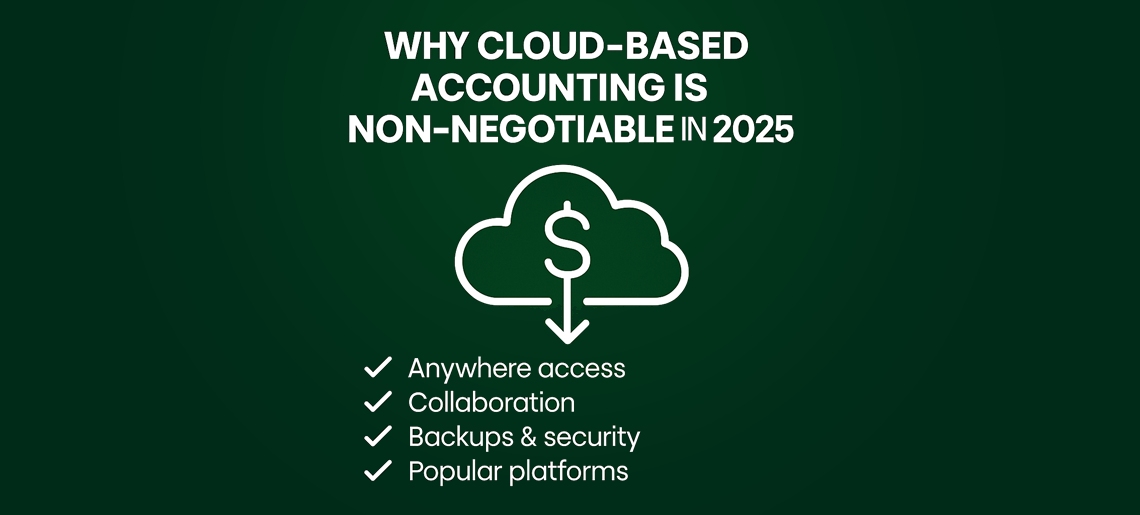
In 2025, running a business means being fast, accurate, and adaptable — and that’s where cloud-based accounting comes in. It’s no longer just a nice-to-have but an essential tool that keeps your business organised, efficient, and ready for growth. Whether you’re a small business, startup, or growing enterprise, adopting cloud accounting is no longer optional; it’s a strategic move to stay competitive, compliant, and financially agile.
What Is Cloud-Based Accounting?
Cloud-based accounting makes finance real-time, collaborative, secure, and scalable.
Traditionally, accountants worked on the same software, installed separately on their desktops and hosted on-premises, effectively localising finance and limiting access to real-time data.
Cloud accounting puts everyone on the same system, enabling easy data sharing and real-time access. Accountants and team members can securely access financial data anytime, from any device, without being tied to one location. Users log in to the system and can access and work on updated data, with real-time backup for enhanced security.
There is no need for manual sharing of updated files or constant follow-ups to obtain the latest information. With cloud accounting, your team works on the same data, collaborates efficiently, and drives real-time results.
What Makes Cloud Accounting Powerful?
1. Anytime, Anywhere Access
Cloud accounting lets you access your financial data from any device, whether it’s a laptop, tablet, or smartphone. This means you can check invoices, track expenses, or review cash flow while travelling, working from home, or even at a client meeting. For businesses with remote teams or multiple locations, this flexibility ensures everyone stays on the same page without delays.
2. Real-Time Reporting And Dashboards
Modern cloud accounting platforms provide live dashboards that give an instant overview of your financial health. You can see your revenue, profits, expenses, and overdue invoices in real time. This visibility allows business owners to make quick, informed decisions, identify trends, and plan budgets more accurately, avoiding surprises at the end of the month.
3. Automated Invoicing And Payment Reminders
Manual invoicing can be time-consuming and prone to delays. Cloud accounting software automates the entire process: it generates invoices, sends them to clients, and even follows up with reminders for overdue payments. This ensures faster cash flow, reduces the risk of missed payments, and lets your team focus on more strategic activities rather than administrative work.
4. Bank Feeds And Transaction Matching
By linking your bank accounts to your accounting software, transactions are automatically imported and categorised. This reduces manual data entry, eliminates errors, and saves hours of bookkeeping work every week. Many systems also flag inconsistencies, helping you spot mistakes or fraudulent transactions quickly.
5. Improved Compliance
Staying compliant with financial regulations, payroll requirements, and reporting standards is critical. Cloud accounting software automatically updates for local regulations like BAS, GST, superannuation, and Single Touch Payroll (STP) in Australia. This helps prevent fines, ensures timely submissions, and gives you peace of mind during audits.
6. Advanced Security And Data Protection
Data stored in the cloud is much safer than on a personal computer. Providers use encryption, multi-factor authentication, and automatic backups to protect sensitive financial information. Even if a device is lost or stolen, your data remains secure, minimising the risk of loss or cyberattacks.
7. Cost-Effective And Scalable
Unlike traditional accounting systems that require expensive software licenses and servers, cloud platforms work on a subscription basis. You pay only for the features you need. As your business grows, you can easily add new users, locations, or entities without costly IT upgrades, making it a smart, scalable solution.
8. Seamless Integration With Other Tools
Cloud accounting software connects easily with payment gateways like Stripe and PayPal, inventory management, point-of-sale systems, payroll software, CRMs, and project management tools. This unified ecosystem ensures all your business data is linked, reducing manual work, improving accuracy, and providing a complete view of operations.
9. Enhanced Collaboration And Team Productivity
With multiple users working in real-time, accountants, managers, and staff can collaborate without version conflicts or delays. Notes, approvals, and updates are visible instantly, making teamwork smoother. Teams can focus on strategic tasks instead of reconciling spreadsheets or hunting for information.
10. Data-Driven Insights And Decision-Making
Cloud accounting software provides advanced analytics and forecasting tools. You can track spending trends, compare monthly performance, and predict cash flow needs. This insight allows you to make smarter business decisions, plan for growth, and respond proactively to challenges rather than reacting to them after the fact.
Important Takeaways:
- Access your financial data anytime, anywhere with cloud accounting.
- Automation reduces manual work, saving time and minimising errors.
- Stay compliant effortlessly with automatic payroll and regulatory updates.
- Cloud storage keeps your data safer than local devices.
- Subscription-based plans make cloud solutions cost-effective and scalable.
- Integrations connect your systems for a unified business overview.
- Real-time collaboration boosts team productivity and accuracy.
- Advanced analytics and dashboards support informed, data-driven decisions.
Making The Move: Tips For A Smooth Transition
1. Choose The Right Platform
Begin by evaluating cloud accounting platforms based on features, pricing, and integrations. Look for tools that support real-time data syncing, automated bank feeds and payroll modules. Ensure the system works seamlessly with existing tools (e.g., payroll, POS, CRM) to avoid starting from scratch.
2. Work With A Cloud-Savvy Accountant
Partner with an accountant or advisor experienced in cloud migrations. They can set up your system correctly from day one, assist in migrating data, ensure your chart of accounts is optimised and help you align processes and workflows with best practice rather than simply replicating legacy methods.
3. Plan Your Migration Timeline
Map out a clear migration schedule and target a quiet period, such as outside your end-of-financial-year rush. Avoid launching during busy times to minimise operational disruption. This step ensures payroll, BAS, and month-end reconciliations aren’t compromised during transition.
4. Train Your Team
Ensure your staff are comfortable with the new system before “go-live”. Conduct training sessions, share user guides, set up support channels, and create a transition checklist. Confident users minimise errors, encourage adoption and get full value from the new platform.
Final Thoughts
Cloud-based accounting is no longer just a convenience; it’s a necessity for modern businesses seeking efficiency, accuracy, and control. With real-time access, automation, and advanced data security, it empowers business owners to stay informed and agile in decision-making. Those still using traditional systems risk falling behind due to limited visibility, slower processes, and greater potential for errors. Embracing the cloud means embracing growth, flexibility, and smarter financial management.
At Elite Plus Accounting, we make your transition to cloud accounting simple and stress-free. Our experts handle setup, migration, and training so you can focus on running your business confidently. Whether you’re switching from manual systems or upgrading your software, we ensure you get the most from cloud technology. Contact us at info@eliteplusaccounting.com.au or call 1300 744 733 to get started.


Recent Blogs
A common assumption among Australian business owners is: “They have an ABN and send me an invoice, so they are responsible for their own super.” Unfortunately, it is not always that simple. For super guarantee purposes, the ATO looks at the substance of the arrangement. Some independent contractors must still receive super where the contract is wholly […]
Read More
Working two jobs in Australia can affect how much tax is withheld from your pay. Learn how the $18,200 tax-free threshold works, when to claim it, and how claiming it from multiple employers could lead to an unexpected tax bill.
Read More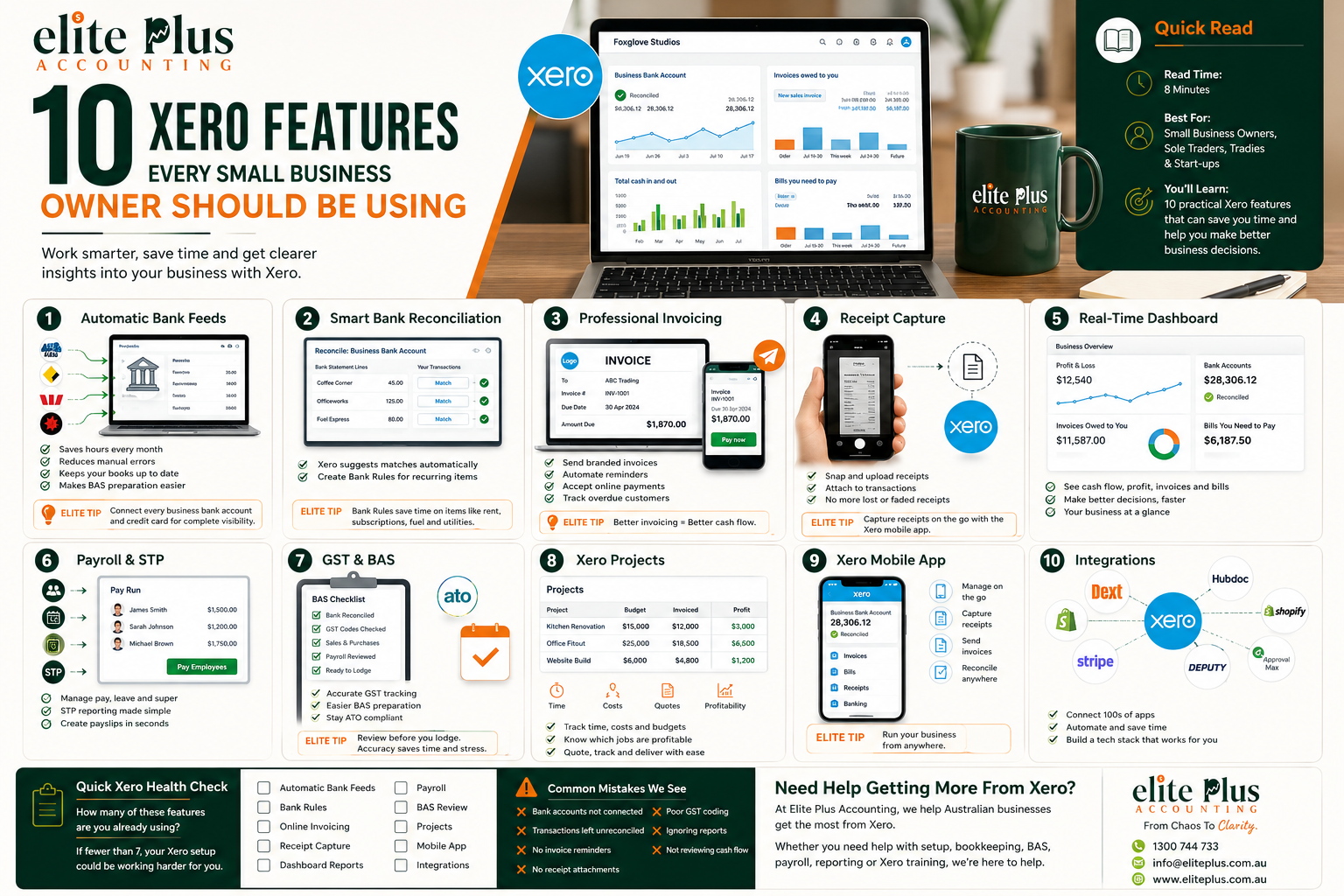
Discover 10 essential Xero features that help small business owners manage finances, save time, track expenses, improve accuracy, and make smarter business decisions with ease.
Read More